I kinda wonder if we should change the name of our update to Bi-Weekly Update #Number…
Hey there! Two weeks have passed and we even made some progress! Like always the equipment menu is coming along nicely (even if there are some slowdowns due to real-life work) and for the first time ever we have battle techs implemented! This time we’d also like to share the first concept art from our new artist with you!
Equipment Menu
Over the last 2 weeks my goal was to finally let Lea equip items in the equipment menu. This includes displaying all items you currently have in a list, previewing the item you want to equip (showing the stat changes and so on) and actually equipping it. Long story short: You can now equip stuff! Why don’t you have a look at the latest WIP pictures?


Hovering over an item will display the absolute change for each stat. This also includes the elemental resistance and the modifiers. The resistance is capped at -100 and 100. Meaning you can only receive double or half damage for the raw equipment resistance. However you can increase the elemental defense further with buffs or switching to a specific element mode.
Also, as you can see, modifiers will give you additional abilities like faster aim or a boost for experience. We are not sure if we add a limit to how much modifiers you can equip so far, but we want to balance the equipment to make them more important so a limit is not necessary.
We also have the idea to add the icon of the currently equipped gear on the appropriate button in the middle screen. These are mainly used to quickly navigate to the body part with the mouse, but an additional icon would make it easier to see if you have something equipped or not.
Battle Techs!
Next to some secret stuff (*hint* *hint*), Lachsen was working a lot on the battle techs lately. To give you a reminder, battle techs are the skills you can use by holding down the charge button (which is Space on the keyboard and the Right Trigger on the controller) while doing any normal action like close combat a throwing a ball. The battle techs will change based on what element mode you use, so there will be a vast amount of techs for you to explore.
Why don’t we have a look at some gifs?
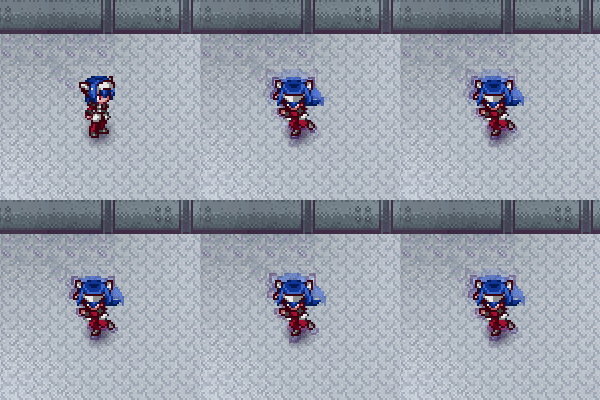
Lea is charging! What you can’t see in this gif is that the time actually slows down while charging. This gives you some time to decide on what you want to do. Note that the charge effect is WIP. We aim to make it look as slick as possible.
Next up…
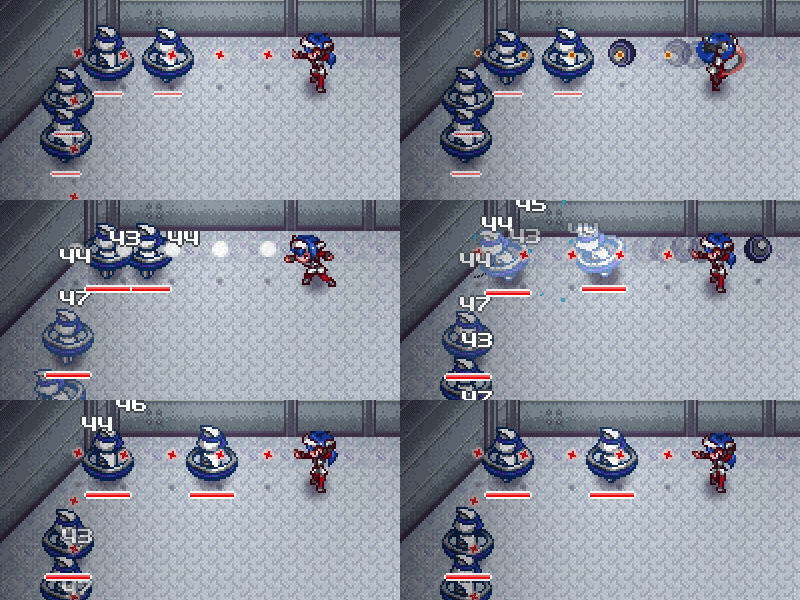
Lea is throwing a large charged ball (WIP graphics here)! The ball will go through all enemies and damage them along the way. Battle techs have an increased damage factor as you might guessed, so they’re good to take down multiple enemies.
But what if there not aligned?

Leas uses another battle tech, which spawns a lot of small balls in a small arc. Enemies can be hit multiple times by 2 or 3 balls and the range makes it useful if enemies swarm around you!
These are of course just examples and we might end up changing them, but they give you a small glimpse of where combat is going in CrossCode. To make it even more interesting you can now attack-cancel out of a dash too (next to dash canceling everything). This means you can do a close combat attack shortly after a dash.
Concept Art
Finally! Our first concept art to share with you (the first one including environment that is). Let’s get right to the point here: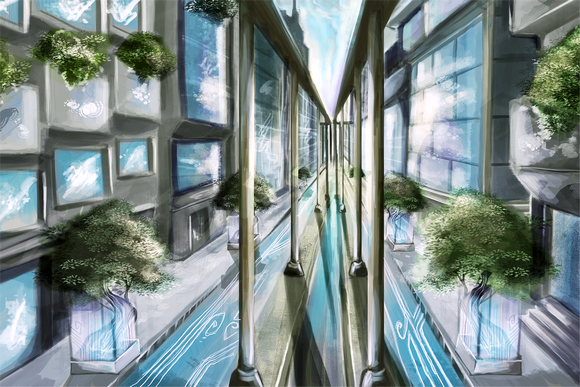
and here is an idea of where this place is based on the image we showed in an earlier weekly:
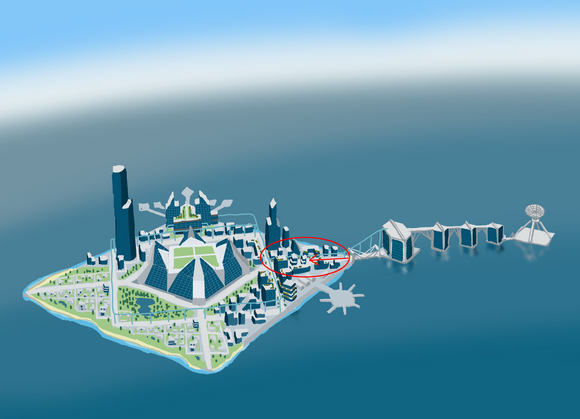
Our new artist is the great designer Solacy! She will help us out with environmental concept art from now on. Here is a link to her DeviantArt page:
Click on me to enjoy great art!
Aaaaand we’ve reached the end of the weekly! Hope you enjoyed your stay.
Until next time fellas!
5 Comments
You keep on spawning fancy effects each two weeks – I wonder how long you can do so before getting stuck with boring technical issues (and how secure it is to plunge into battle, armed with Thunfischbrötchen).
And that slow-down while that sweet charging animation, how do you do that? Is it as easy as you try to make it sound? I actually have no idea what “time” is like in a video game.
As well, I still have problems to make out what is to see in the concept art, especially concerning the dimensions:
Are those trees triple-man-high and we see a huge Stoa, or are those blue squares on the walls windows and it is a narrow corridor?
we actually get stuck in boring stuff a lot, but it’s the goal which keeps us motivated :)
Well explaining the slowdown is a bit tricky but I will try it anyway.
To move stuff around the screen or animate things in general, we use the delta time. This is the time between 2 frames. 60 fps means you have 1/60 = 0.016 seconds per frame. Noe animation and movement is controlled with a a certain pixels per seconds. To move the entity we simply multiply the velocity with the delta time. This gives us the pixel step per frame and ensures that if the framerate fluctuates, we always move the pixel per second we set (This is called variable time stamp).
So if we don’t change the delta time everything moves normal. If we change the delta value we can speed up or slowdown the game which creates these effects. If we divide the delta time by 2 the game runs twice as slow thus creating a slowdown effect :D
Yes the blue squares are windows. You basically see an alley and on top a mono rail road. To be fair Solacy is pretty new to creating concept arts for environments. But I personally think, there are pretty good and it will only get better!
Great job! Looks awesome!
At this point, I have a technical question regarding the UI in general.
Since you eventually draw onto a canvas element, you somehow have to translate high-level concepts like UI display elements (button, numbers, bars, etc.) onto primitive canvas drawing calls.
Now I know that Impact comes with an Animation abstraction already, but since this adds only a slight amount of convenience, I wonder how you solved the problem of animating elements on the screen in a more sophisticated way. In particular, how do you handle tweening? And do you have higher-level APIs for drawing boxes with rounded / sloped edges, transparent background, color gradients etc.?
Do you use other third-party frameworks?
Cheers,
NicM
Well these are actual questions about the GUI system worth a technical post :D
So expect a technical post in the next few weeks :)
But basically we don’t use any Third.Party frameworks. The GUI system is completely done by us and it does not use any primitives drawing at all.
Ok then, I’ll take you up on that! I can’t wait for this technical post! :-P